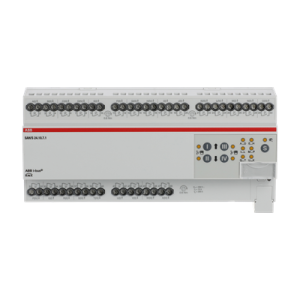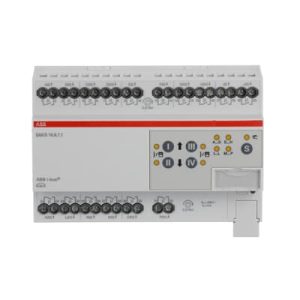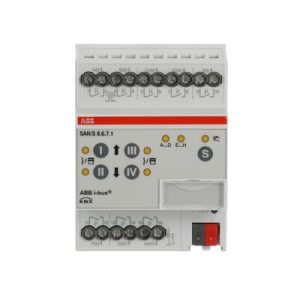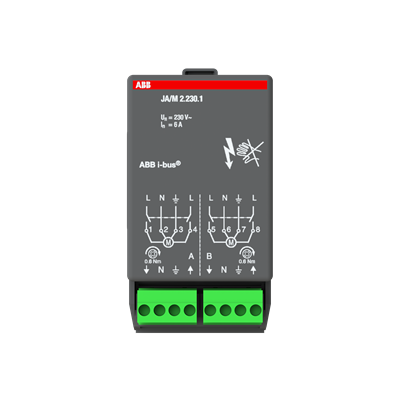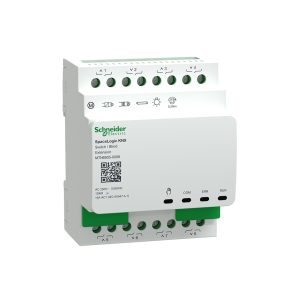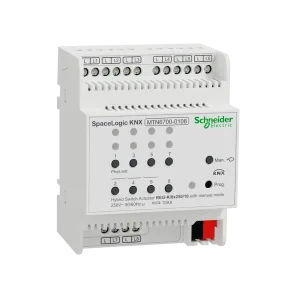












Commercial KNX cabinets often mix lighting circuits and motorized blinds in the same riser. The expensive mistake is treating those loads as the same “actuator problem” — then discovering interlocking, travel times, or motor ratings only after the BOM is frozen.
In this article, separating the families means putting lighting/general switching on a switch-actuator shortlist and blinds/shutters on a shutter-actuator (or verified combo) shortlist whenever motor duty, interlocking, or function objects would make a shared SKU unsafe or wasteful. Keeping one combined switch/shutter family is still valid — but only after the datasheet modes cover both jobs.
This page is the family-split decision asset inside the KNX Actuator Guide. For how to score every shortlist row, use the LCSS selection matrix. For the softer shortlist narrative, see the actuator buying guide.
Cite-ready definition: switch vs shutter actuators
A KNX switch actuator switches loads — typically lighting and general on/off circuits — with channel counts (folds) sized to the circuit map. A KNX shutter / blind actuator drives motor direction pairs (commonly up/down) with interlocking so opposing directions cannot be energized together, and with application objects for travel time, position, or sun-protection logic as published by the manufacturer. A switch/shutter combo actuator exposes both modes on one device only when the exact order code and ETS application allow it — channel assignment must still match the load map.
The 4 Separation Triggers (SOS framework)
Before you open a catalog filter, run every lighting-and-blinds cabinet through SOS-4 — four Separation Triggers. The label is a Smartanix shorthand for tenders and training, not a KNX Association term. If any trigger fires “separate,” put switch and shutter on different BOM rows (even if the brands match).
- S — Safety interlocking — Motor up/down must be hardware- and/or application-interlocked per the manufacturer. If your plan wires two bare switch channels as directions without a verified shutter mode, separate (or stop) immediately.
- O — Object / application fit — Blind groups need travel-time, position, or facade objects your switch application does not provide. If commissioning depends on shutter objects, do not force a lighting-only switch family.
- S — Service / spare policy — Lighting spare is measured in channels; shutter spare in motor pairs. Different spare rules → different rows so purchasing cannot raid one pool for the other.
- 4 — Form-factor & zoning — Façade blinds often live in perimeter cabinets while dense LED lighting sits elsewhere. Different cabinets, DIN budgets, or current classes → separate families (or a documented combo only where both loads share one enclosure).
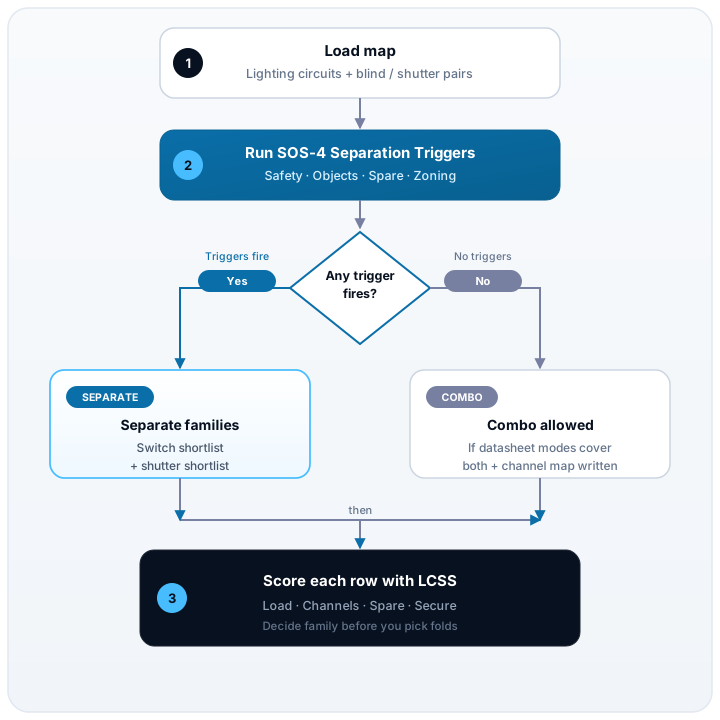
Decision table: switch vs shutter / blind outputs
Copy into the tender workbook. Fill one row per function group. Status stays Hold until the datasheet for the exact order code confirms mode, interlocking, and rating.
| Row ID | Function / location | Load class | Control need | Interlock required? | Preferred family | Channels / pairs needed | Spare plan | Brand + order code | Status | Notes |
|---|---|---|---|---|---|---|---|---|---|---|
| F-001 | e.g. open-office LED | Capacitive / LED | On/Off (+ scenes) | No | Switch | +10% / +1 fold | preferred | Check inrush + panel derating | ||
| F-002 | e.g. meeting blinds | Motor / shutter | Up/Down + travel | Yes | Shutter | +1 pair | hold | Do not use bare switch pair | ||
| F-003 | e.g. small room mix | LED + 1–2 blind pairs | Mixed | Yes (blinds) | Combo (if verified) | Document channel map | hold | Mark which terminals are motors | ||
| F-004 | e.g. plant auxiliaries | Resistive / mixed | On/Off | No | Switch | preferred | Keep out of façade shutter DIN |
How to score a row
- Load class first — lighting vs motor is not a preference; it is a datasheet pass/fail.
- Control need — if the group needs shutter objects (travel, position, sun protection), Preferred family cannot be “any switch fold.”
- Interlock — Yes on motor pairs means shutter mode or dedicated shutter SKU; never two independent switch channels “because we will program carefully.”
- Family — Switch, Shutter, or Combo only when the order code advertises both modes you will use.
- Spare — write channel spare for switch rows and pair spare for shutter rows in BOM notes.
When a switch/shutter combo still wins
Separating families is the default for mid-size commercial floors with dense lighting and façade blinds. Combo modules remain a strong choice when:
- One small cabinet serves a few lighting circuits and a few blind pairs (meeting rooms, villas, fit-out packages).
- The manufacturer documents switch and shutter modes on the same order code, including interlocking for motor channels.
- DIN width and cost beat two separate modules after you still leave documented spare.
- Commissioning can read a written channel map (which outputs are motors) so a future swap does not land a lighting SKU on a blind pair.
If purchasing only sees “cheapest 16-fold,” they will treat every channel as lighting. Combo is allowed; undocumented combo is not.
Interlocking, travel time, and wiring assumptions
These are the three checks that most often reverse a “one family for everything” shortlist:
- Interlocking — Confirm the application prevents simultaneous up and down. Do not invent relay logic on site to paper over a lighting-only switch actuator.
- Travel time / position — If the tender expects percentage position, sun-tracking, or façade group control, verify those objects exist for the exact order code before Status = locked.
- Wiring & voltage class — 230 V vs low-voltage motors, shared neutrals, and end-limit behaviour belong in Notes. Module families (for example dedicated shutter modules vs high-fold switch rails) are not interchangeable by DIN slot alone.
When in doubt, keep shutter loads on a shutter row in the decision table and link the LCSS Load column to that same Row ID.
Worked example: mid-size office floor with blinds
Scenario (generic): one office floor — open-plan LED lighting, six meeting-room blind pairs on the façade, and a small plant auxiliary group. No client name. Goal: decide whether one combo family can cover everything or whether switch and shutter must split.
| Row | Function | SOS-4 result | Family decision | Illustrative channel plan |
|---|---|---|---|---|
| F-101 | Open-office LED | No motor interlock; spare in lighting folds | Switch family | 18 circuits → 24-fold (or 16+8) with +spare rule; check capacitive/LED + derating |
| F-102 | Meeting blinds | Interlock + travel objects fire Separation Triggers | Shutter family (separate) | 6 pairs → shutter actuator(s) with +1 pair spare policy |
| F-103 | Plant auxiliaries | On/Off only; different cabinet | Small switch fold | Do not steal F-101 spare; do not place in façade shutter DIN |
- SOS-4 — F-102 fails Object fit and Safety interlocking on a lighting-only switch shortlist → separate shutter family.
- Combo check — A switch/shutter combo could still serve a single meeting room package, but not the whole open-office lighting bank without wasting motor-capable channels or under-serving LED density. Keep F-101 on switch density.
- LCSS — Score each locked order code for Load, Channels, Spare, Secure using the selection matrix.
- BOM — Copy Row ID, family, brand, order code, qty, and spare plan into the multi-brand BOM template so purchasing cannot merge F-101 and F-102 into one “actuator” line.
Family-split checklist before award
| # | Check | Status (Y / N / Hold) | Notes |
|---|---|---|---|
| 1 | Every lighting group and every blind/shutter group has a decision-table row | ||
| 2 | SOS-4 run; Separation Triggers documented where families split | ||
| 3 | Motor rows use shutter or verified combo mode (not bare switch pairs) | ||
| 4 | Interlocking confirmed on datasheet / application for exact order code | ||
| 5 | Travel-time / position objects verified if the tender expects them | ||
| 6 | Combo channel map written (which terminals are motors) | N/A if families fully separate | |
| 7 | Spare rule: channels for switch, pairs for shutter — both in BOM notes | ||
| 8 | LCSS matrix scored for every locked order code | Link Row IDs | |
| 9 | Status = locked for rows in the customer offer |
Common mistakes that mix the families wrongly
| Mistake | What it looks like | Project impact |
|---|---|---|
| Bare switch pair as blinds | Two lighting channels labelled Up/Down | Motor damage risk, no proper interlocking, commissioning debt |
| One fold type for the whole floor | Purchasing merges lighting and blinds into one SKU | Wrong objects, wasted channels, emergency modules |
| Combo without a channel map | “16-fold mixed” with no motor terminals marked | Spare parts and site swaps hit the wrong load |
| Shared spare pool | Blind pairs steal lighting headroom (or reverse) | Late fit-out cannot land without a new order |
| Voltage-class fog | 230 V shutter module assumed equal to LV motor row | Wrong module family after award |
| Matrix skipped | Family chosen by brand loyalty only | Fails LCSS Load column when datasheets are finally read |
Frequently asked questions
What is the difference between a KNX switch actuator and a shutter actuator?
A switch actuator is built for on/off (and often stair or scene) switching of lighting and general loads. A shutter/blind actuator is built for motor direction pairs — typically up/down with interlocking so both directions cannot energize together — plus travel-time or position logic defined in the ETS application. Always confirm both behaviours on the datasheet for the exact order code.
Can I use a switch actuator for blinds or shutters?
Only when the manufacturer application and wiring method explicitly support motor/shutter mode with interlocking for that order code. Wiring two independent switch channels as “up” and “down” without interlocking is a common tender mistake and can damage motors. Prefer a shutter family or a verified switch/shutter combo configured correctly.
When should switch and shutter actuators stay as separate families on the BOM?
Separate them when motor interlocking, travel-time/position objects, load class, spare policy, or cabinet zoning differ enough that one shared SKU family would force awkward channel waste or unsafe wiring. Use SOS-4 and the decision table before purchasing collapses everything to one fold type.
When is a combined switch/shutter actuator a good choice?
Combo modules can win in small cabinets or rooms where a few lighting circuits and a few blind pairs share one DIN footprint — if datasheet modes, current class, and interlocking cover both loads. Document which channels are lighting vs shutter.
How does this relate to the LCSS actuator selection matrix?
Family choice is a Load decision inside LCSS. Run the Separation Triggers first, then score each shortlisted order code on Load, Channels, Spare, and Secure before the BOM freezes.
Do shutter actuators need spare capacity like switch actuators?
Yes — count spare in motor pairs (or shutter channels), not lighting folds, and write that rule in BOM notes so late rooms do not raid the wrong pool.
Conclusion: split the families when the loads disagree
Switch vs shutter is not a brand argument. It is a load, interlocking, and object-fit decision. Running SOS-4 — Safety interlocking, Object fit, Service/spare policy, and form-factor zoning — before you pick folds keeps motors protected, spare capacity honest, and purchasing aligned with commissioning.
- Map lighting circuits and blind/shutter pairs separately.
- Fill the decision table; separate families wherever a Separation Trigger fires.
- Allow combo only with a written channel map and verified modes.
- Score locked order codes with LCSS, then pin them in one project BOM.
Ready to shortlist both families? Compare switch, shutter, and combo actuators in the Actuators catalog, keep Row IDs from this table in your project list, and request a tender review via the contact CTA below when partner pricing or stock still blocks award.