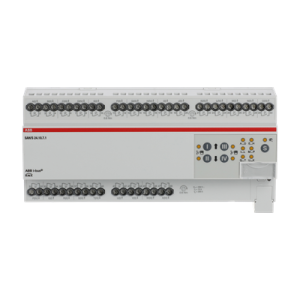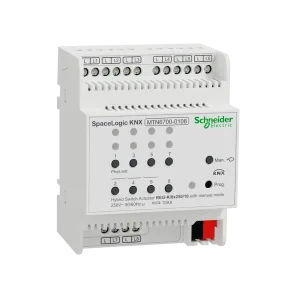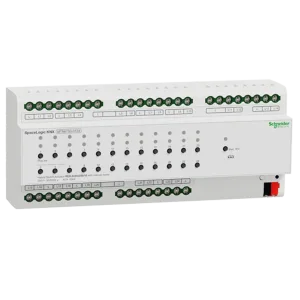












Commercial KNX tenders rarely lose money on a single “wrong” actuator SKU. They lose money when the shortlist never faced the loads it must serve — capacitive LED drivers treated like resistive lighting, zero spare channels in a dense floor, or a secure requirement discovered after award.
In this article, an actuator selection matrix is a decision grid that scores each shortlisted device against load type, channel plan, spare capacity, and secure requirements before order codes freeze in the BOM.
For tenders and training we call the four scoring columns LCSS (Load · Channels · Spare · Secure). The label is a Smartanix shorthand — not an official KNX Association term. The engineering checks behind each column still come from manufacturer datasheets and your project rules.
This page is the matrix artifact. For the softer narrative on shortlisting, see the companion KNX actuator buying guide. For row fields that keep multi-brand quotes aligned, use the multi-brand BOM template.
The LCSS actuator selection framework
Score every shortlist row on all four columns. A blank column means the row is not tender-ready.
- Load — current rating, load class (resistive, capacitive/LED, motor/shutter), inrush, interlocking needs, and panel thermal derating when dense modules run hot.
- Channels — fold count vs circuit map; avoid buying density you will never wire, and avoid splitting one logical group across random cabinets.
- Spare — explicit spare channels or spare modules written into BOM notes (not “we will see on site”).
- Secure — Data Secure (or project-equivalent) as a hard yes/no/hold aligned with the security plan.
KNX actuator selection matrix (copy-paste)
Duplicate into the tender workbook. Fill currents and secure flags from datasheets for the exact order code — never from memory.
| Row ID | Function / location | Load type | Rated need | Channels needed | Channels on SKU | Spare plan | Secure (Y/N/Hold) | Brand + order code | Status | Notes |
|---|---|---|---|---|---|---|---|---|---|---|
| A-001 | e.g. Floor 2 lighting | LED / capacitive | +10% / +1 fold | preferred | Derating @ panel ambient? | |||||
| A-002 | e.g. meeting blinds | Motor / shutter | hold | Interlock pair | ||||||
| A-003 | e.g. plant auxiliaries | Resistive / mixed | locked |
How to score a row (quick method)
- Load pass/fail — datasheet must cover the real load class and rating with project headroom; fail the row if LED/motor behaviour is unverified. For dense folds, also pass the thermal derating check below.
- Channel fit — channels on SKU ≥ channels needed after any derating that reduces usable full-load channels; prefer a small set of standard folds across the building.
- Spare written — spare count or % sits in the matrix and BOM notes.
- Secure aligned — Y only if the order code matches the security plan; Hold if datasheet is open.
Load type: start here, not with brand loyalty
List every switched and shuttered load before you open a catalog filter: lighting circuits, HVAC auxiliaries, blinds, high-inrush groups. Map each to current, load class, and interlocking. Only then compare families against that matrix.
- Resistive / general switching — baseline switch actuators; still confirm rating and diversity.
- Capacitive / LED drivers — verify inrush and capacitive guidance in the datasheet; do not assume a “16A lighting” label is enough.
- Motors / shutters / blinds — shutter actuators or dedicated outputs; document interlocking and travel-time assumptions.
- Specialty — heating, dimming, or mixed modules belong on their own rows so purchasing cannot substitute a plain switch fold.
Load check: panel heat and current derating
High-density actuators (for example 16- or 24-fold) can pass a per-channel nameplate check and still fail in a warm cabinet. If many channels sit near rated load at once, heat inside the panel rises; manufacturers often publish ambient-temperature or simultaneous-load derating that lowers allowable current per channel — or the number of channels you may run at full load.
- Assume a panel ambient for the cabinet (design temperature, not the air-conditioned office setpoint) and write it in Notes.
- Read the datasheet derating notes for the exact order code — charts, footnotes, or “adjacent channels / simultaneous load” limits. Do not invent a curve.
- Score Load = fail or Hold if the tender assumes every channel at nameplate in a dense, poorly ventilated board with no derating path.
- Mitigations to document — split across two modules, leave unused channels as thermal spare (and say so), improve panel ventilation / spacing per manufacturer guidance, or choose a lower fold count with more headroom.
Treat derating as part of Load, not as a surprise commissioning fix. A 24-fold that is “cheapest per channel” on paper is the wrong shortlist winner if derating forces a second module after award.
Channel density vs spare capacity
A 24-fold actuator can look cheaper per channel on paper and still hurt the job if half the channels sit unused while another panel needs two more outputs — or if thermal derating means those “extra” channels were never usable at full load. Prefer a channel plan with modest spare per cabinet — not zero.
Floor / cabinet circuit map
        |
   needed channels  →  choose fold (4 / 8 / 12 / 16 / 24…)
        |
   spare rule written in BOM  →  +N channels or +1 module
        |
   shortlist SKUs that fit LCSS (not “cheapest per channel”)
For mid-size commercial floors, many teams standardize on a small set of channel counts so commissioning and replacements stay predictable. Write the spare rule where purchasing can see it.
Data Secure and other hard filters
Treat secure capability as a project filter, not a marketing badge. If the security plan requires Data Secure (or an equivalent project rule), every affected actuator row must show Y on a verified order code — panels and couplers included in the same decision. If the datasheet is unclear, Status = Hold; do not invent compliance.
Other hard filters that belong in Notes: manual operation, status feedback, form factor / DIN width, and ETS application availability before the quote locks.
Worked example: mid-size office floor
Scenario (generic): one office floor, LED lighting, a meeting-room blind bank, and a few plant auxiliaries. No client name. Goal: a shortlist that survives a late extra meeting room.
| Row | Function | Load | Channels needed | LCSS outcome (illustrative) |
|---|---|---|---|---|
| A-101 | Open-office lighting | LED / capacitive | 18 | Prefer 24-fold (or 16+8) with + spare rule; check datasheet derating at panel ambient; Secure per project plan |
| A-102 | Meeting blinds | Motor / shutter | 6 pairs | Shutter actuator family; interlock noted; spare +1 pair policy |
| A-103 | Plant auxiliaries | Mixed switching | 4 | Small fold in plant cabinet; do not steal open-office spare |
- Load first — lighting rows rejected if capacitive/LED behaviour is unverified for the candidate SKU; dense lighting folds also get a panel-ambient derating note before Status = locked.
- Channels — standardize on folds already used elsewhere in the building when possible.
- Spare — “+ late meeting room lighting” written on A-101 notes so a 18-into-16 squeeze cannot win on price alone.
- Secure — one answer for the floor, applied to every locked order code.
- BOM — copy Row ID, brand, order code, qty, spare qty, and status into the TBF-9 BOM fields.
Actuator shortlist checklist before award
| # | Check | Status (Y / N / Hold) | Notes |
|---|---|---|---|
| 1 | Every load has a matrix row | ||
| 2 | Load class verified on datasheet for exact order code | ||
| 3 | Panel ambient + thermal / simultaneous-load derating checked (dense folds) | Write ambient in Notes | |
| 4 | Channel plan matches cabinet / floor map (after derating) | ||
| 5 | Spare rule written in matrix + BOM notes | ||
| 6 | Secure flag aligned with project security plan | ||
| 7 | Primary switching family documented (mixed-brand rules clear) | ||
| 8 | Manual / feedback / ETS application checked | ||
| 9 | Status = locked for rows in the customer offer |
Common shortlist mistakes that cause rework
| Mistake | What it looks like | Project impact |
|---|---|---|
| Brand-first shortlist | SKU chosen before load map exists | Late swaps, wrong load class, redesign |
| Zero-spare cabinets | Exact channel fill “to save cost” | Emergency modules after fit-out changes |
| Hidden spare | Spare only in WhatsApp / memory | Purchasing deletes headroom at award |
| Nameplate-only load | 24-fold assumed at full current on every channel; no panel ambient / derating note | Overheat, forced split after award, extra modules |
| Secure as afterthought | Security plan arrives after SKUs lock | Whole family swap under time pressure |
| Equivalent fog | Brand-or-equivalent without matrix pass | Different inrush / secure / fold behaviour on site |
Frequently asked questions
What is a KNX actuator selection matrix?
It is a decision grid that scores each shortlisted actuator against the loads it must serve — typically load type and rating, channel count, spare capacity, and any Data Secure requirement — before you lock order codes in the tender BOM.
How is this different from a KNX actuator buying guide?
A buying guide explains the reasoning. The selection matrix is the artifact you fill, screenshot, and hand to purchasing. Use both: narrative first, matrix when the shortlist must survive award.
How much spare actuator capacity should I plan?
There is no universal percentage. Many mid-size commercial teams document modest spare channels per cabinet or floor and write that rule in the BOM notes. Spare that only lives in a chat thread disappears at award.
Should every commercial job standardize on one actuator brand?
Often yes for the primary switching family — it simplifies commissioning and replacements. Mixed-brand BOMs are still normal when form factor, specialty function, or delivery clearly wins. Document the primary vs secondary decision so purchasing cannot silently “optimize” equivalents.
When does Data Secure belong in the actuator matrix?
When the project security plan requires it — not as a default checkbox on every row. If secure is required, treat it as a hard filter and match secure-capable variants across the affected devices. Verify the exact order code; do not invent compliance.
Do high-density actuators need thermal derating in the panel?
Often yes. If many channels on a dense module (for example a 24-fold) can run near rated load together, cabinet temperature rises and the manufacturer may require a lower current per channel or fewer channels at full load. Check the datasheet derating / ambient notes for the exact order code and write the panel ambient assumption in the matrix Notes — do not invent a curve.
Conclusion: score the shortlist before you freeze the BOM
Actuator choice is a load decision first and a catalog decision second. Running LCSS — Load, Channels, Spare, Secure — on every row protects commissioning time, keeps spare capacity visible to purchasing, and prevents expensive redesign after award.
Fill the matrix, lock the rows that belong in the customer offer, then map those order codes into one project BOM. Brand mix is allowed; undocumented brand mix is not.
- Build the load map (every circuit / shutter group).
- Fill the LCSS matrix until every offer row is Y or an explicit Hold.
- Write spare and secure rules into BOM notes.
- Pin locked SKUs in the catalog workspace before equivalents get creative.
Need to turn a scored shortlist into a procurement-ready BOM? Compare genuine actuator options in the Actuators catalog, pin preferred SKUs into a project list, and request a tender review via the contact CTA below when partner pricing or stock confirmation still blocks award.