












Multi-brand KNX tenders fail less often on device choice than on column choice. The lighting actuator is “approved,” but the order code drifted; spare channels lived in WhatsApp; the IP router brand was swapped without a status flag. By award day you own three spreadsheets and none of them is the truth.
Cite-ready definition: A multi-brand KNX tender BOM is one row-per-device list that binds function, brand, exact order code, quantity, spare intent, and procurement status in the same record — so purchasing cannot reorder a different revision than design signed off.
This article is the field template trainers and tender leads can quote. It is brand-agnostic on purpose. Use it in Excel, a project tool, or any export — then map locked lines into a single catalog workspace when you are ready to procure.
For the platform workflow (search → project → partner pricing → handoff), see the companion piece How to build a multi-brand project BOM without quote chaos. This page owns the columns; that page owns the operating system.
The Tender BOM Fields (TBF-9) framework
Name the nine columns so every stakeholder can challenge a missing field in a review:
- Line ID — stable row key for revisions (L-001, L-002…).
- Function — what the device does in the ETS / room design (IP router, 16A switch actuator, presence, floor panel…).
- Brand — manufacturer as approved for this line.
- Order code — exact commercial / catalog code, including secure or variant suffixes.
- Qty (operational) — count required for the design baseline.
- Qty (spare) — explicit spare count for that same code (or 0).
- Status — locked / preferred / alternative / hold / spare-policy.
- Segment / location — line, area, floor, or cabinet so topology and power budgets stay attached.
- Notes — spare rule, datasheet open points, Aux DC, Data Secure flags, equivalent-swap bans.
If a column is empty, treat the row as not ready for customer presentation — not as “we will fill it later.”
Copy-paste BOM template (one row per device)
Duplicate this table into the tender workbook. Do not invent currents, lead times, or prices here — those belong in linked worksheets and confirmed commercial columns.
| Line ID | Function | Brand | Order code | Qty | Spare qty | Status | Segment / location | Notes |
|---|---|---|---|---|---|---|---|---|
| L-001 | e.g. KNX IP router | 0 | locked | Core / L0 | ||||
| L-002 | e.g. switch actuator 16A | preferred | Floor 3 / L1 | Spare rule: +10% channels | ||||
| L-003 | e.g. room touch panel | hold | Floor 3 rooms | Confirm secure variant | ||||
| L-004 | e.g. line power supply | 0 | preferred | Floor 3 / L1 | Class from power budget worksheet |
Optional commercial columns (keep separate)
Unit price, currency, stock flag, and confirmed lead-time notes can sit to the right of TBF-9 — but do not replace order code or status. When a distributor SKU differs from the manufacturer order code, store both and mark which one purchasing must quote.
Why each field prevents quote chaos
- Function before brand — stops “favorite brand first” shopping that forces awkward equivalents after award. Freeze the functional list first; assign brands second. Detail lives in the companion BOM workflow guide.
- Brand + order code together — mixed catalogs collide when “Schneider panel” meets three possible secure touch variants. The pair is the purchasing atomic unit.
- Qty and spare qty split — spare that is only a percentage in a meeting note dies in purchasing. Write spare as quantity on the same code (or a deliberate alternate spare code in its own row).
- Status — “preferred” vs “locked” vs “hold” tells commercial what they may still change without a design review.
- Segment / location — keeps the BOM attached to topology and power budgets. A 640 mA supply on the wrong line is still a wrong line.
- Notes — the only safe home for swap bans, open datasheets, and “do not substitute without commissioning sign-off.”
Status vocabulary teams can share
| Status | Meaning | Who may change it |
|---|---|---|
| hold | Function known; brand/code still open | Design + procurement jointly |
| preferred | Intended SKU; equivalent may be offered with sign-off | Procurement proposes; design accepts |
| locked | Award / contract baseline — no silent swap | Change control only |
| alternative | Documented fallback for stock risk | Must stay pin-compatible with notes |
| spare-policy | Row exists to enforce spare rule, not room fit-out | Design owns the rule |
Worked example: mid-size commercial floor tender (illustrative)
Scenario: one office floor fit-out, mixed brands allowed by specification, IP backbone at core, one KNX line for the floor. Order codes below are placeholders for method — replace with the exact codes you will purchase.
| Line ID | Function | Brand (example) | Role of the row | Status | Notes pattern |
|---|---|---|---|---|---|
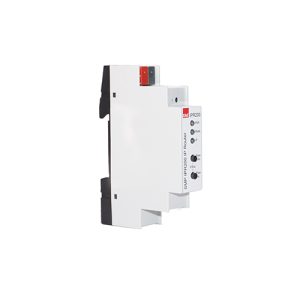
| L-010 | KNX IP router | EAE (example) | Core topology — brand often early-locked | locked | No silent equivalent; confirm firmware/order code in datasheet |
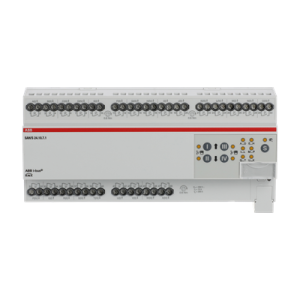
| L-020 | Switch actuator bank | ABB (example) | Lighting / outlets — density drives spare | preferred | Spare qty from channel math, not “round up later” |
| L-021 | Switch actuator bank | Interra (example) | Same function on another sub-area if mixed brand is intentional | preferred | Keep function label identical so buyers see the parallel |
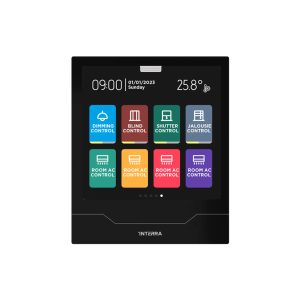
| L-030 | Room touch panel | Interra (example) | Occupant UI — secure variant often still open | hold | Block award until secure vs non-secure code is frozen |
| L-040 | Line power supply | Per budget | Class from current worksheet, not habit | preferred | Link to power budget worksheet; recalculate after any actuator/panel swap |
Notice the pattern: topology-critical lines lock first; dense actuators carry explicit spare; panels with secure options stay on hold until the suffix is real. That is tender hygiene, not paperwork theatre.
Diagram-friendly revision flow
- Function freeze — every row has Line ID + Function (+ tentative Segment).
- Brand shortlist — Brand filled; Order code may still be blank → status hold.
- Code lock — Order code filled from manufacturer documentation → preferred or locked.
- Spare pass — Spare qty and spare-policy notes written so purchasing cannot strip them.
- Commercial bind — prices/stock attach without overwriting TBF-9.
- Single source — one export / one project BOM until goods are purchased.
Pre-handoff checklist (copy into the tender pack)
- Every operational device has Line ID, Function, Brand, and Order code.
- No row uses “TBD” in Brand or Order code on a customer-facing revision.
- Spare qty or spare-policy notes exist where the design intends reserve.
- Status vocabulary matches the table above — no ambiguous “OK” / “maybe.”
- Segment / location is filled enough to join power and topology reviews.
- Notes ban silent equivalents on locked lines.
- Power supplies and couplers point to a filled current / topology review where relevant.
- Commercial columns do not overwrite manufacturer order codes.
From template to Smartanix catalog
Once TBF-9 rows are stable:
- Shortlist real SKUs in the Smartanix catalog (filter by category and brand).
- Pin locked and preferred lines into one project BOM so partner pricing and stock live next to the same order codes.
- Keep “hold” panels and gateways visible in that same list — do not exile them to a private tab.
- When lead time or an equivalent is disputed, use contact with the Line ID cited so technical and commercial see one row.
Related internal reading: multi-brand project BOM workflow · KNX power budget worksheet · actuator buying guide.
Frequently asked questions
Is a manufacturer part number enough for a multi-brand KNX tender BOM?
No. Treat brand and order code as a pair, and keep function + status on the same row. A part number without brand context invites wrong-equivalent swaps; a brand without the exact order code leaves purchasing guessing which secure or firmware variant to order.
Where should spare actuators and panels live in the BOM?
As their own quantities on the same order code (Spare qty), or as separate spare-policy rows — never only in a chat thread or a disposable “optional” tab. If purchasing cannot see spare next to the operational line, spare will not survive award.
How does this template differ from using Smartanix as the project workspace?
This template defines the columns every tender spreadsheet or export must carry. The companion workflow guide covers how to keep that list as one living BOM inside a catalog workspace. Use both: fields first, then one system of record until goods are purchased.